
The Best Drawing Tablets in 2026 (For Every Budget)
Pen tablet, pen display or iPad? An honest guide to the drawing tablets worth buying in 2026 — from a US$40 starter to studio flagships — plus the specs that matter and the ones that are marketing.
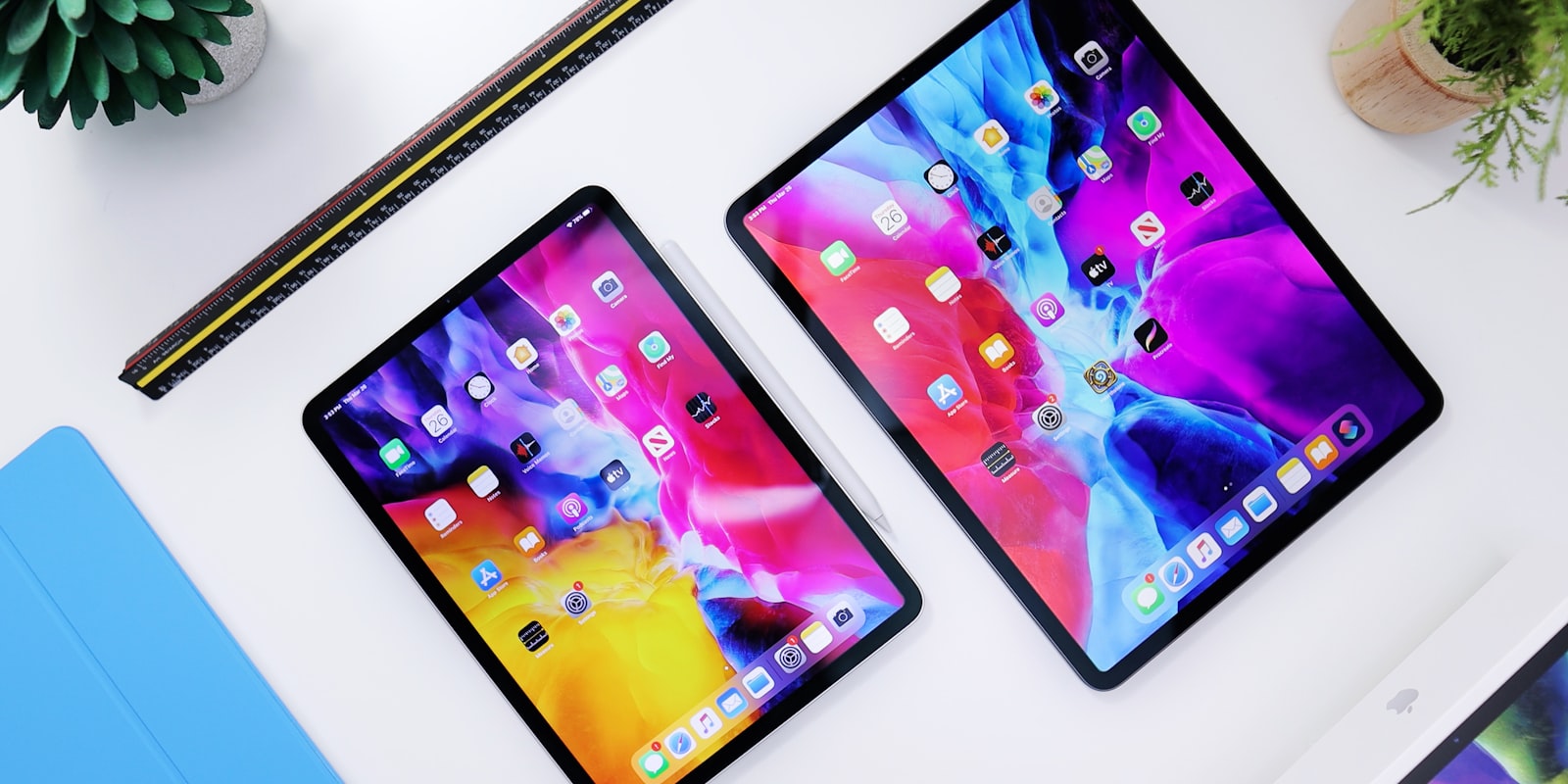
Drawing tablets come in three kinds, and knowing which kind you need matters more than any brand comparison:
- Pen tablets — no screen; you draw on the slate while watching your monitor. Cheapest, most durable, and what plenty of professionals still prefer.
- Pen displays — you draw directly on a screen, connected to a computer. The most natural feel per dollar.
- Standalone tablets — iPads and Android tablets with a computer built in. Portable, self-contained, and priced accordingly.
The other thing worth saying up front: the gap between the budget brands and Wacom has mostly closed. Huion and XPPen now match or beat Wacom’s specs at a fraction of the price, and Wacom’s remaining advantages — pen feel and long-term reliability — are real but subtle. Here’s how that shakes out in 2026 (prices are approximate US street prices; Australian pricing scales accordingly).
The short answer
| Budget & need | Get this |
|---|---|
| First tablet, tightest budget | XPPen Deco 01 V3 (~US$40) |
| First screen to draw on | Huion Kamvas 13 Gen 3 (~US$220) |
| The mid-range sweet spot | Huion Kamvas 16/22 Gen 3 or XPPen Artist Pro 16 Gen 2 |
| Studio flagship | XPPen Artist Pro 27 Gen 2 or Wacom Cintiq Pro 27 |
| Portable second screen | Wacom Movink 13 (OLED) |
| All-in-one, no computer | iPad (Procreate) or Samsung Galaxy Tab S series |
Best first tablet: XPPen Deco 01 V3 (~US$40)
A big active area, a battery-free pen with 16,384 pressure levels, and a price that makes “will I even stick with digital art?” a cheap question to answer. Huion’s Inspiroy line and the Wacom One pen tablets play in the same bracket, and any of them is a fine answer — this is a category where you genuinely can’t buy wrong anymore.
Don’t let the missing screen put you off. Drawing while looking at your monitor takes about a week to click, and screenless tablets keep your hand out of your eyeline, your posture upright, and your wallet intact. Working professionals use them by choice.
Best for: beginners, and anyone who wants to test the waters properly for less than a night out.
Best entry pen display: Huion Kamvas 13 Gen 3 (~US$220)
The most common first pen display for good reason. The Gen 3 refresh brought Huion’s PenTech 4.0 stylus — 16,384 pressure levels, tilt, effectively zero lag — and a fully laminated screen at a price that used to buy you an entry-level screenless Wacom. Thirteen inches is snug for full-time work, but as a first “drawing directly on the picture” experience, nothing touches its value.
Best for: hobbyists ready for a screen without committing serious money.
Best mid-range: Huion Kamvas 16/22 Gen 3, or XPPen Artist Pro 16 Gen 2
The sweet spot of the whole market. Sixteen inches is the size most artists settle on — big enough to work all day, small enough to fit a normal desk — and both brands’ current generations offer laminated, colour-accurate screens with flagship-grade pens for US$400–650. Huion’s Kamvas 22 Gen 3 (~US$600) even brings QHD resolution to the 22-inch class, previously four-figure territory.
Between Huion and XPPen at this tier, you’re choosing on deals and ergonomic details (button layouts, dials, stands), not quality — both are comfortably professional.
Best for: serious hobbyists and working artists — most people should buy in this bracket.
Best flagship: XPPen Artist Pro 27 Gen 2 vs Wacom Cintiq Pro 27
Both give you 27 inches, 4K, 120Hz and superb colour. The XPPen (~US$1,900) undercuts the Wacom by a wide margin and matches it nearly everywhere on paper; the Cintiq Pro justifies its premium with Pro Pen 3’s still-benchmark feel, edge-of-screen accuracy and the reliability that keeps studios on Wacom. If you’re spending your own money, the XPPen is the rational pick; if a studio is paying or the tablet is your daily livelihood, the Wacom argument writes itself.
Best for: professionals who live in their canvas eight hours a day.
Best portable display: Wacom Movink 13
An OLED pen display thin enough to genuinely travel — one USB-C cable to a laptop and you have a studio in a café. OLED blacks and colour in a 420-gram slab is a lovely thing; the price (~US$750) is the only sting.
Best for: artists who work away from their desk with a laptop.
Best standalone: iPad + Procreate (or a Galaxy Tab)
If you don’t have a computer — or want drawing to happen on the couch — a standalone tablet replaces the whole stack. The iPad remains the default: Procreate is a one-off purchase beloved half the internet over, Apple Pencil hardware is excellent, and even the base iPad runs it beautifully; the M-series iPad Pro is the no-compromise version. On Android, Samsung’s Galaxy Tab S series includes the S Pen in the box and runs Clip Studio Paint well, and budget standalones like XPPen’s Magic Drawing Pad and Huion’s Kamvas Slate have made “a dedicated drawing slate” a sub-US$500 idea.
The honest caveat: desktop software (full Photoshop, Krita, Clip Studio with every plugin) still lives on computers, so standalone tablets complement a desktop workflow more often than they replace it. Speaking of software — most of the best of it is free, and we’ve ranked it separately.
Best for: couch artists, travellers, and anyone whose “computer” is their phone.
The specs that matter (and the ones that don’t)
- Pressure levels are marketing past ~8K. Nobody alive can feel the difference between 8,192 and 16,384 levels. What you can feel: initial activation force (how light a touch registers) and a sensible pressure curve.
- Lamination and parallax matter a lot. A fully laminated display puts the pen tip visually on the line. Every tablet recommended above is laminated; older cheap displays weren’t, and it’s why they felt wrong.
- Size: 13” is snug, 16” is the sweet spot, 22”+ is a desk commitment. Buy the biggest of the three your desk and budget allow.
- Colour gamut matters if you print. Look for ~99% sRGB minimum; wide-gamut accuracy matters mainly for print and client work.
- 120Hz is lovely, not necessary. A fast refresh rate makes the cursor glide; it doesn’t make your lines better.
- Drivers are the real brand difference. This is where Wacom’s decades still show — though Huion and XPPen have improved enormously. Whatever you buy, download the current driver before judging the pen.
Do you even need to upgrade?
Worth asking before spending: hardware is almost never the bottleneck. A US$40 tablet running free software is a complete, professional-capable setup, and the artist matters roughly 100× more than the slab. Upgrade when your current gear has a specific daily friction — not because a new generation launched.
FAQ
Do I need a screen tablet to make good art?
No. Screenless pen tablets are cheaper, more durable, better for posture, and used by working professionals daily. A screen makes drawing feel more natural sooner; it doesn’t make the art better.
Should I get an iPad or a pen display?
If you already own a computer, a pen display gives you more drawing surface per dollar and full desktop software. If you don’t — or portability rules your life — the iPad is the best self-contained option, and Procreate is a joy.
Are Huion and XPPen actually as good as Wacom now?
For most artists, yes — specs are equal or better at half the price or less. Wacom still leads on pen feel, edge accuracy and driver maturity, which is why studios stay — but the days of “save up for Wacom or suffer” are over.
What’s the cheapest setup that’s genuinely good?
About US$40: an XPPen Deco 01 V3 (or Huion equivalent) plus free software like Krita. That combination is capable of professional work on day one — everything above it is comfort, not capability.
Final thoughts
It’s the best time ever to buy a drawing tablet: the budget brands got good, the good brands got cheaper, and every tier of the market has a genuinely capable option. Buy the tier your habit justifies, not the one the reviews sighed over.
And once the new tablet produces something you’re proud of, give it somewhere to live — artbase is a community built for exactly that, and it’s open to everyone now.